Guide · Legal and compliance
When an act you cite is amended
An amendment is published, and somewhere a requirement, a task and a policy still say what the act used to. The work is not reading the amendment — it is knowing which of your things rest on the part that changed. Here is how the change comes to the people whose work rests on it, without anybody watching the publisher’s site.
The work it shows takes a few minutes when a change arrives; nothing in between.
The amendment
Horizon Ltd’s data protection register cites the UK GDPR in six places: four requirements, the task under one of them, and the policy — at Articles 28, 30, 33 and 35. On 30 September 2026 a set of consequential amendments came into force (S.I. 2026/386, commenced by S.I. 2026/1015), and across the regulation «the Commissioner» became «the Commission» — the Information Commission. In Article 30(4), the record of processing activities is now made available to the Commission on request.
A change of that kind is easy to miss and cheap to act on: a name in a policy, a line in a procedure. What makes it expensive is finding out months later, from somebody else.
For this guide the act’s earlier text was put in place by hand: it is the publisher’s own version of the regulation as it stood on 29 September 2026, and the later text is today’s. Everything after that — asking the site, keeping the edition, the marks and the notification — is what the product did by itself.
1. What is watched, and how often
Nothing has to be set up beyond the citations themselves. In a project with the Legal acts add-on, every act its issues and pages cite is asked of its publisher’s site once a week. The acts are the ones your people cite — a citation is what puts an act on the list, and nothing else does.
- The first 300 acts a project cites are watched, where it cites more.
- Each site is asked at most 30 times an hour, and the acts are spread over the week: these are government sites, and the product is their guest.
- When the site answers with the same text, nothing happens. When it answers with other words, the rest of this guide happens.
- The add-on is bought per project, a month at a time, on a team plan; on the trial every project has it. Without it nothing is asked, and what was already found stays readable.
2. The day the text changes
Three things happen at once. The earlier text is kept, as an edition of the act. Every reference made on that text is marked. And whoever watches an issue or a page that cites the act is told — once, however many of their issues cite it.
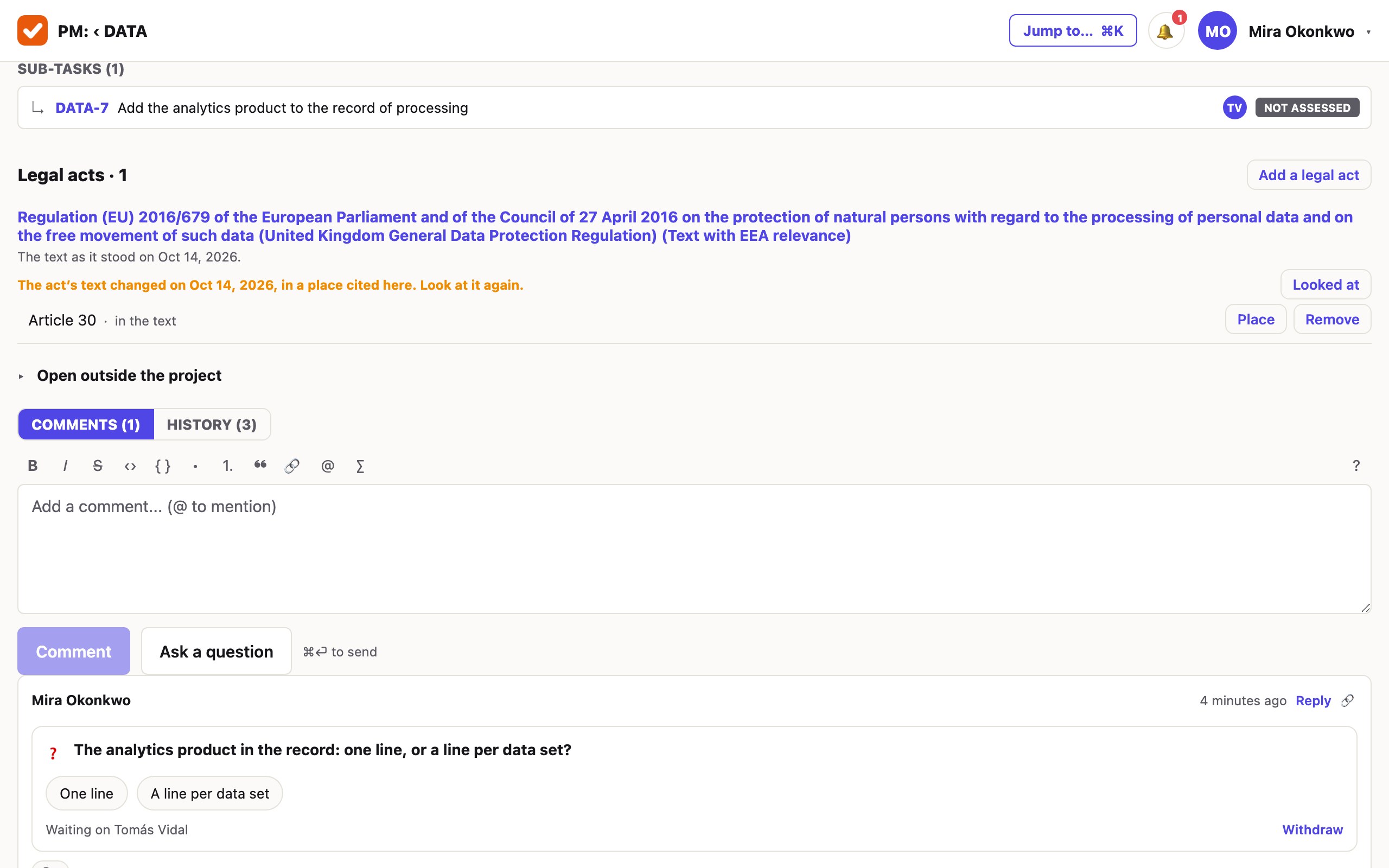
The mark is worded by where the change is. Where it is in the article a reference cites, the reference says so and asks to be looked at again. Where the act changed elsewhere, it says the text changed — not in the places cited here. Where a place cannot be laid on the act’s headings, it says plainly that the text changed.
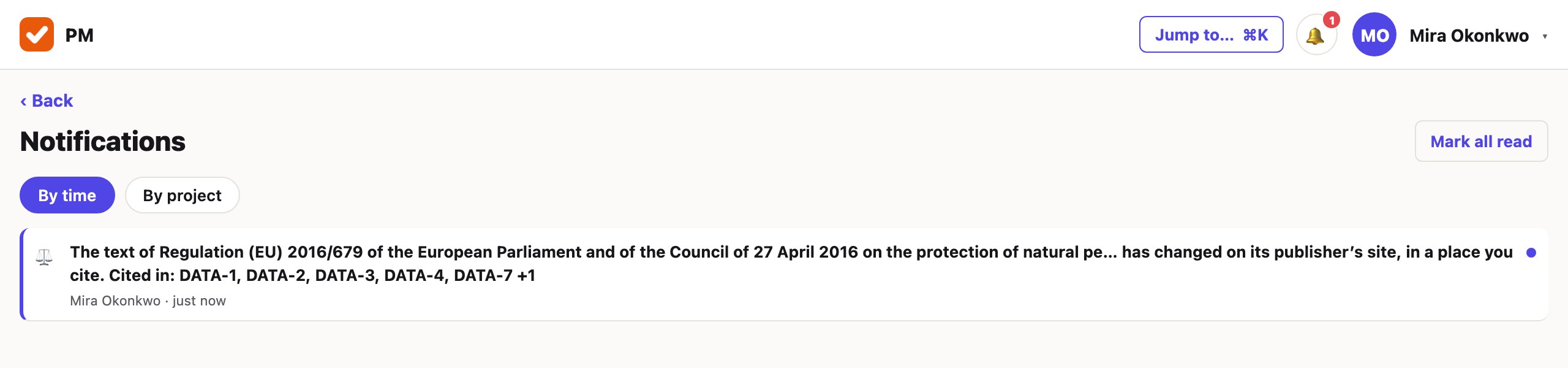
It goes where the person’s other notifications go — in the app, and by email and push unless they turned those off. Only what the reader may open is named. A site that stops giving the act, or says it is gone, is a notification of its own, sent once.
3. Read what changed
The act’s card now lists Earlier texts: each with the days it was the text here, the articles the change is under, As it was and What changed.
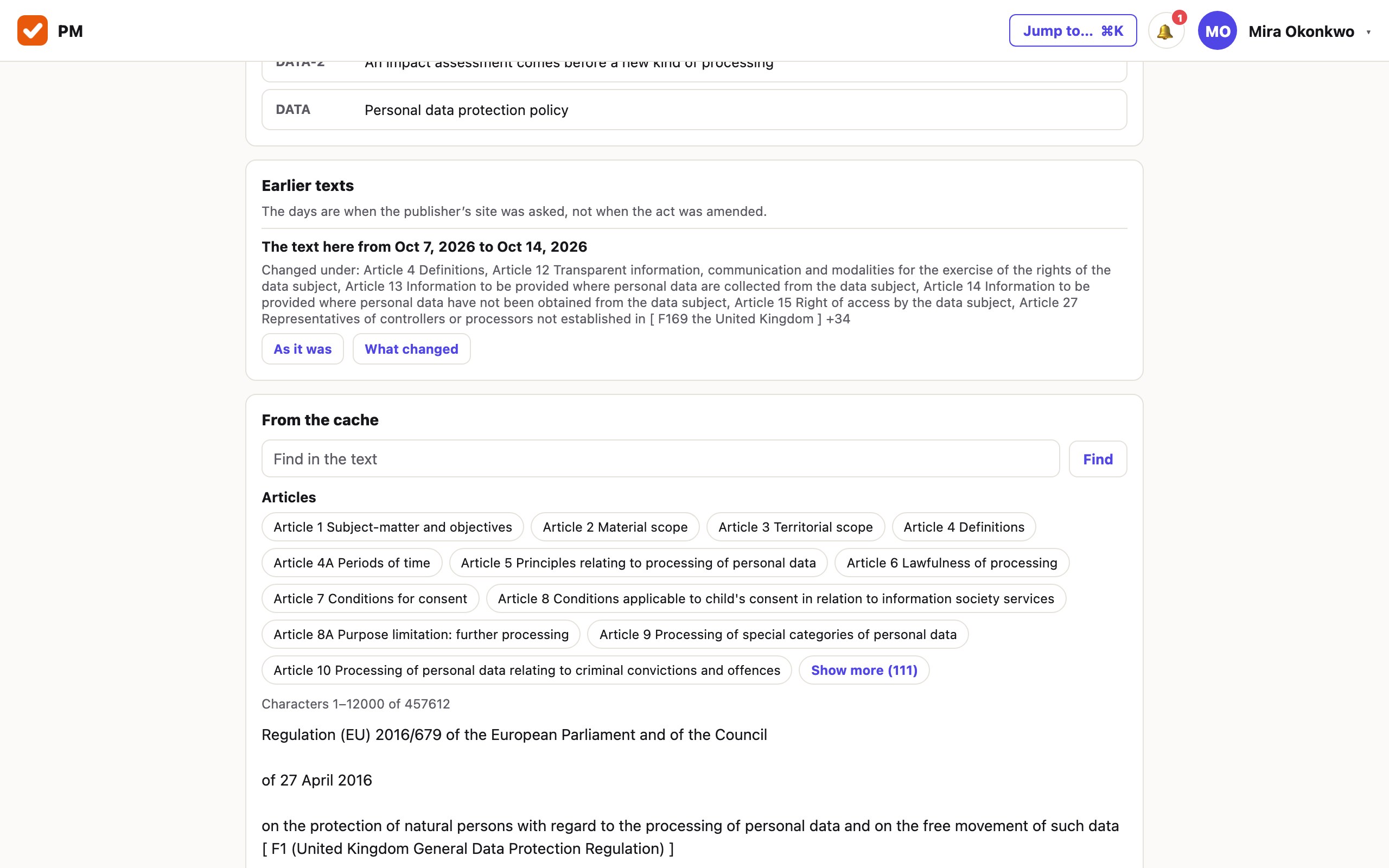
As it was opens the earlier text in the same window, under a line saying it is not the current one. What changed lists the paragraphs that went and came, each under its article, the earlier words above the new ones.
![A list of changes. Under «Article 30 Records of processing activities · changed», «Was: … shall make the record available to [ F179 the Commissioner ] on request» and «Is: … to [ F188 the [ F189 Commission ] ] on request». Further changes follow under Articles 31 and 33.](/guides/what-changed.jpg)
- The comparison is by paragraph: two words changed inside a paragraph are shown as the paragraph before and after.
- legislation.gov.uk numbers its notes through the whole act, so one amendment renumbers every note after it. A paragraph that differs only in those numbers is not counted as changed.
- An act amended in many places has many changes; they come fifty at a time, with Show more under them.
- No model reads the amendment. The card says where the words differ, never what the difference means.
4. What is still to look at
Somebody responsible for the reference reads the change, decides, and presses Looked at — and the mark comes off that reference only. Whoever may edit the issue or the page may press it.
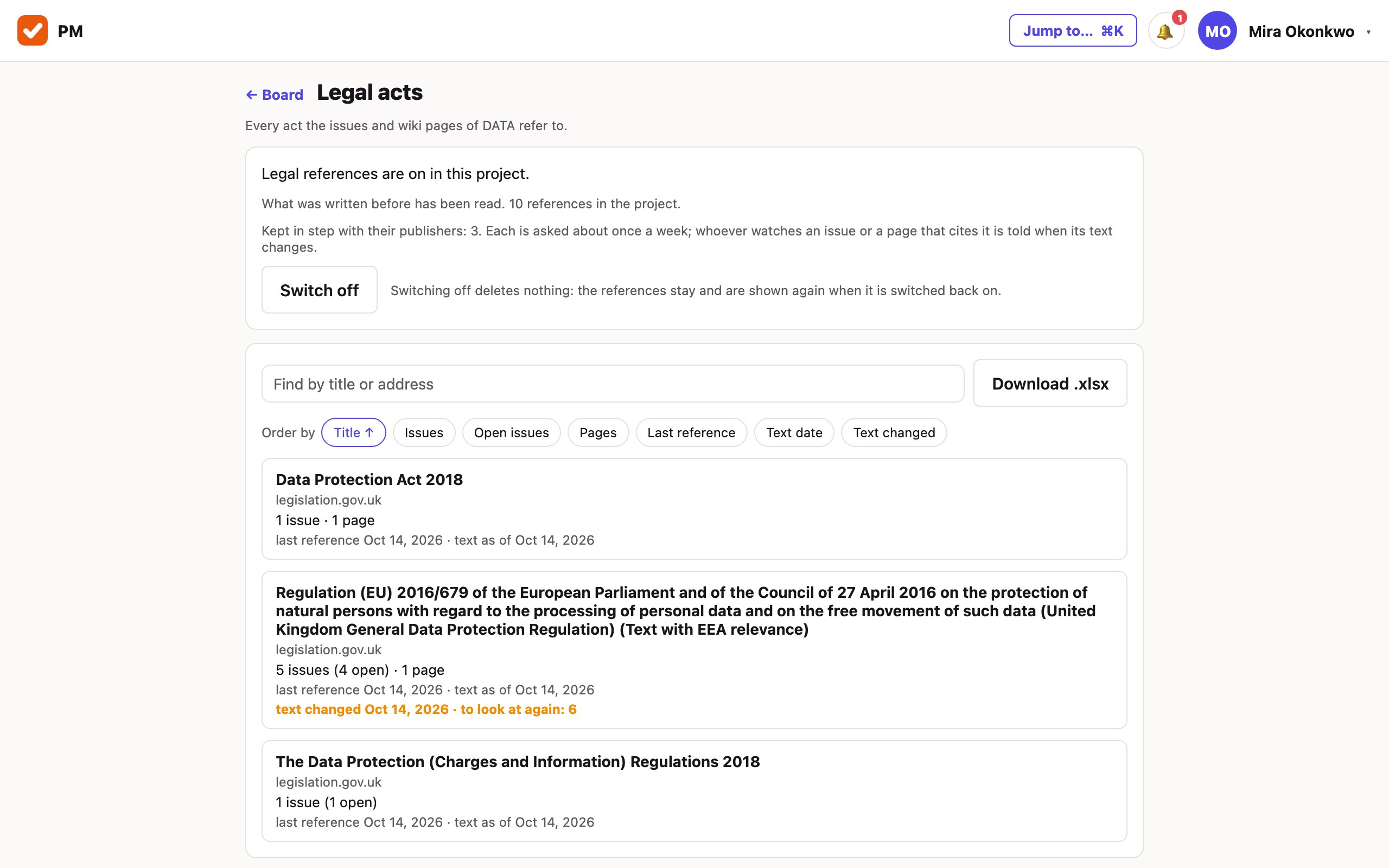
The project’s Legal acts list says, for every act, when its text changed and how many references still stand on the earlier text. Ordered by Text changed, the acts that moved come first.
5. Turn it into work
A change that needs more than a glance is ordinary work, and goes where the rest of it is: a task under the requirement — «Rename the regulator in the policy and the breach procedure» — with an owner and a due day. The policy is edited, approved as a new edition and brought to people again, as in The compliance year in a tracker.
The task is filed by a person. Nothing is reopened or filed by itself when an act changes.
What it does not do
- It watches only the acts you cite. A new act, an act nobody has cited yet, a draft or a consultation is not something it knows about. It does not follow legislation for you.
- It sees a change when it next asks — up to a week after the publisher shows it. The days it gives are when the site was asked; an amendment can be in force before its publisher shows the new text.
- It does not say what a change means. No summary and no opinion on whether a rule is still met: that is the person who presses «Looked at».
- Only the official editions on the list are read. A site that will not answer a program leaves the act unread, and the card says so.
- Nothing happens by itself after the notification. No issue is reopened or filed, and no outgoing webhook is sent for a change today.
- Of an earlier edition the text is kept, not the publisher’s file. «As it was» is the words; the original PDF or page is kept only for the current text.
Cite the acts, and let them be asked.
One project, the texts you already have, and the add-on, which every project has on the trial. The first month is free and needs no card.
Create a workspace