Guide · Compliance
The compliance year in a tracker
Much of compliance work is a calendar with a written trail: a report every year, a plan every year, policies reviewed «regularly» — and a record that each was done, approved and brought to people. Here is that year as work that files itself, with the texts it comes from.
The work it shows takes an hour to set up; then it comes round by itself.
What comes round, and where it is written
These are duties of an anti-money-laundering compliance function, each with the place it is written. They are examples of the shape — a duty, a cadence, a source — and not a list of what applies to you: that depends on your licence and your country, and is read at the source.
| What | How often | Where it is written |
|---|---|---|
| The compliance officer’s activity report to the management body | at least once a year | EBA/GL/2022/05, paragraph 50 |
| The management body reviews the report and assesses the function | once a year | EBA/GL/2022/05, paragraphs 13 and 16 |
| A training plan for staff, written down | once a year | EBA/GL/2022/05, paragraph 56 |
| Policies, controls and procedures reviewed and updated | «regularly» | EBA/GL/2022/05, paragraph 41; UK: Money Laundering Regulations 2017, regulation 19(1)(b) |
| A process for assessing changes in laws and regulations | «regularly» | EBA/GL/2021/05, paragraphs 208–210 |
| The internal audit plan, approved by the management body | once a year | EBA/GL/2021/05, paragraph 223 |
| A business-wide risk assessment: documented, kept up to date, approved | regularly, and on an event | Regulation (EU) 2024/1624, Article 10 — it applies from 10 July 2027 |
| UK: staff regularly given training, with a record of it | «regularly» | Money Laundering Regulations 2017, regulation 24(1) |
Where a source says «regularly» and a calendar says «every year», the year is the calendar’s choice, not the regulation’s. The ready-made register says so in each recurring issue it brings.
What they ask for as proof is a record. The UK regulations, for one, require written records of the policies, of any changes made after a review, and of the steps taken to communicate them within the business (regulation 19(1)(c)); and a record in writing of the training given (regulation 24(1)(b)). Neither of those two provisions mentions a signature. The rest of this guide is about making that record a by-product of doing the work.
1. Make the calendar file its own work
A project can file issues by itself on a calendar: board menu, Recurring issues…. Each has a title, a description, an assignee, a cadence — every so many weeks or months, twelve months being a year — the next day it is filed, and a due day counted from that day.
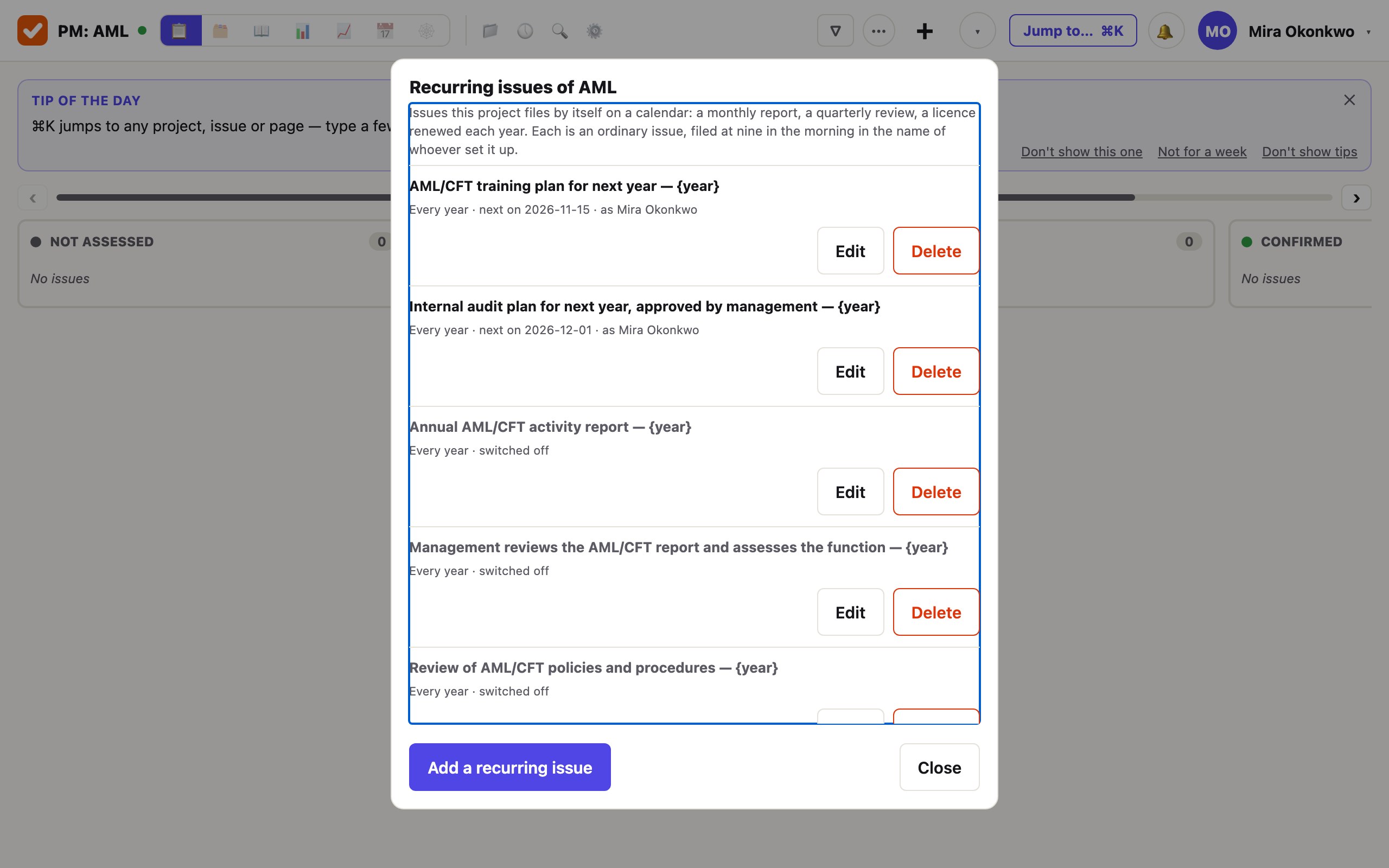
{year},{quarter},{month}and{date}in a title are replaced on the day it is filed: «Annual activity report — 2027».- It is filed at nine in the morning, as an ordinary issue, in the name of whoever last saved it.
- If last year’s is still open, this year’s is filed anyway and linked to it — the open one is not hidden by its successor.
- A day that was missed files one issue when it can, never one for each period missed. If nothing could be filed, somebody is told.
2. Be told before the day, not on it
A report due on the thirty-first is not started on the thirtieth. Due-day reminders…, in the same menu, are the days before a due day on which whoever the issue is with gets one line in the morning, on their own clock.
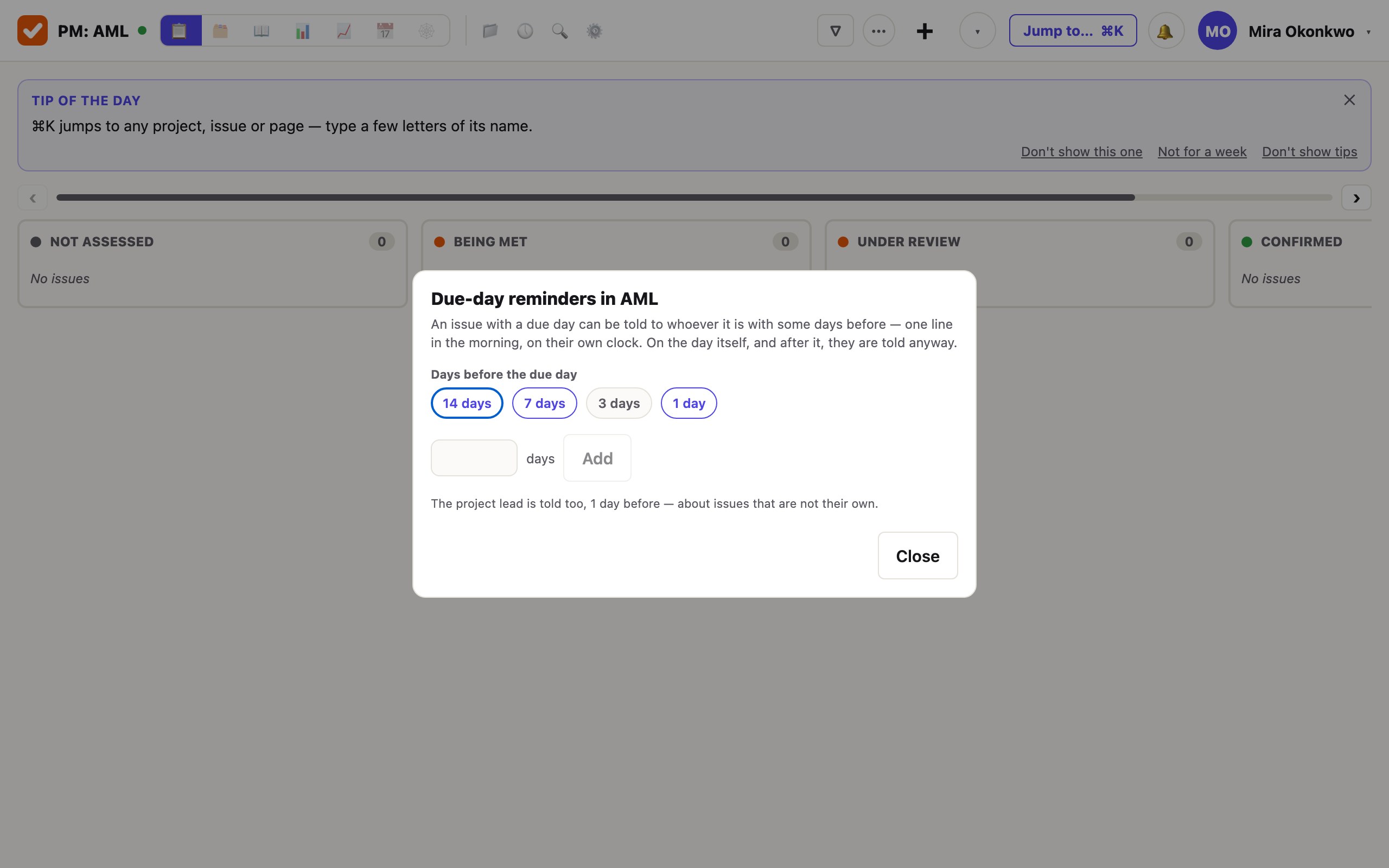
The steps are the project’s, up to five of them. They are off until a lead chooses them; the requirements register sets 14, 7 and 1 where the project had none. On the day itself, and after it, the assignee is told anyway.
3. Review the policy, and approve the edition
The yearly issue «Review of policies and procedures» ends in a page. The policy is a wiki page; every save is a version, and the history shows what changed between two of them.
Approval on the page records who approved which version, and when, with a note if they wrote one. The approver approves the version they read: if the page was edited meanwhile, the approval is refused. An edit after an approval does not un-approve anything quietly — the earlier edition stays the one in force, and the page says both.
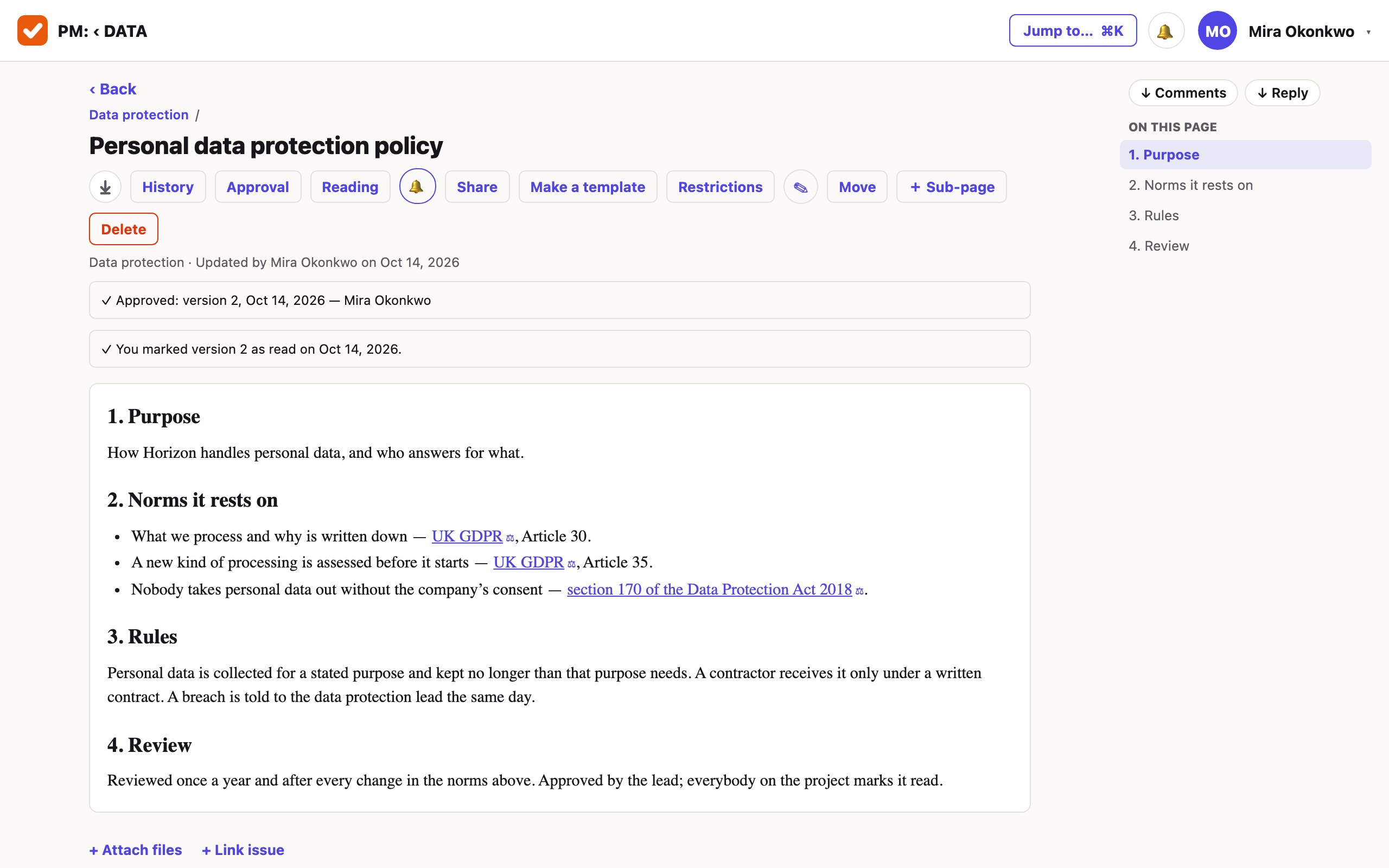
The record is written once: taking an approval back adds a line and deletes none. The same line is in the page’s history and in the Word or PDF file you save from it — the file says under its title whether its text is the approved one.
4. Bring it to people, and keep who has read it
Reading makes the page required reading for people by name, for everybody on the project, or for a team role. Each of them is notified, sees a banner on the page, and marks that they have read it. The mark records who, when and which version.
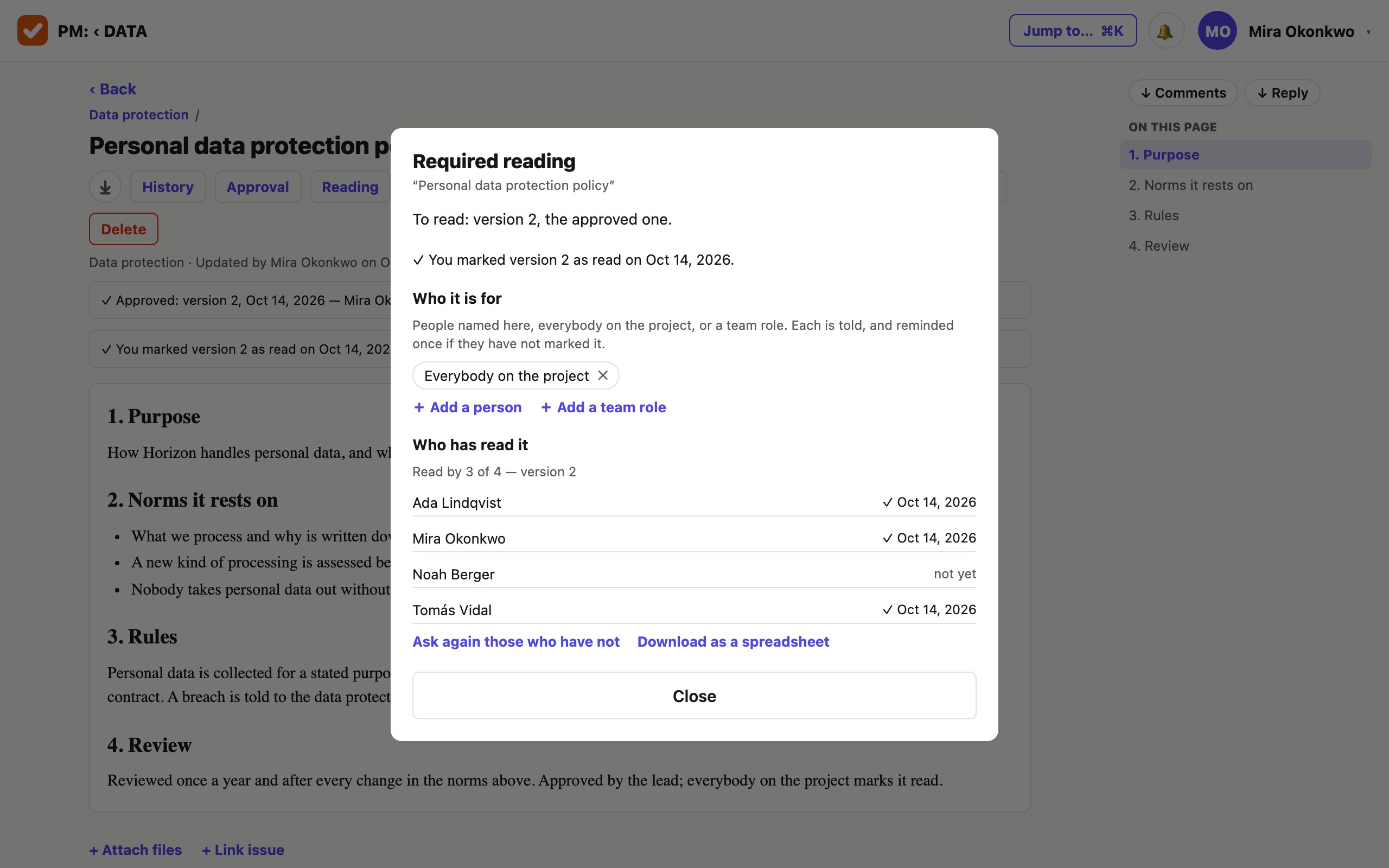
- The version to read is the approved one. When a new edition is approved, the earlier marks are kept and everybody is asked again.
- Somebody who has not marked it is reminded once, two working days later.
- The lead sees who has and who has not; everybody else sees only their own mark.
5. Show it
What a reviewer asks for is rarely the whole project. A selection is taken as one archive — by a query, by an epic with everything under it, or by a label — with the wiki pages linked to those issues: every issue with its history, every page with its versions and its approval and reading marks, and an inventory in words on top saying what is in it, by which query, who took it and when.
That is the year’s trail: the issue that was filed on its day, who did it and when it was closed, the edition that was approved, and who read it.
What it does not do
- It does not know which duties are yours. The table above and the five recurring issues are examples with their sources. What applies depends on your licence and country.
- Deadlines counted in hours are not kept. Reminders go by the day. Reporting windows of a few hours after an incident are not something the tracker counts.
- A cadence is a count of weeks or months from a day. There is no «last working day of the quarter»; a monthly one set for the 31st is filed on the last day of a shorter month.
- An approval is not a signature and is not called one. It records who approved which version. It does not lock the page against edits, and there is no rule that several named people must all approve.
- A reading mark is a mark. It says who pressed «read» on which version and when; it cannot be taken back, and there is one reminder, not a chase.
- It does not watch the law for you. A change in a regulation is something you learn and then act on here; the «process for assessing changes» in the table is still a process of yours.
- The company’s activity journal is ordinary records that nothing in the product edits — not an immutable ledger.
Put next year in it.
Take the requirements register, read its five recurring issues, and switch on the ones that are yours. The first month is free and needs no card.
Create a workspace