Guide · Legal and compliance
What of ours rests on this article?
Somebody asks about one article of one act — a reviewer, a colleague, a notice from the regulator. The honest answer is a list: the requirements, the tasks and the policies that cite it. Here is how that list comes to exist without anybody keeping it.
The work it shows takes a minute, once the citations are there.
The question, and why it is slow
Horizon Ltd keeps its data protection work in one project: six requirements, the tasks under them, and a policy. Somebody asks what rests on Article 30 of the UK GDPR — the record of processing activities.
Without help this is a search for «Article 30» across issues and documents, and then reading each hit to see whether it means that Article 30 or another act’s. The citations are all there already. What is missing is anything that knows they are citations.
1. Write the citation the way you already do
In a project that has legal references switched on — board menu, Legal acts…, Switch on — an act named in an issue, a comment or a wiki page becomes a reference when the text is saved. Nobody links anything by hand.
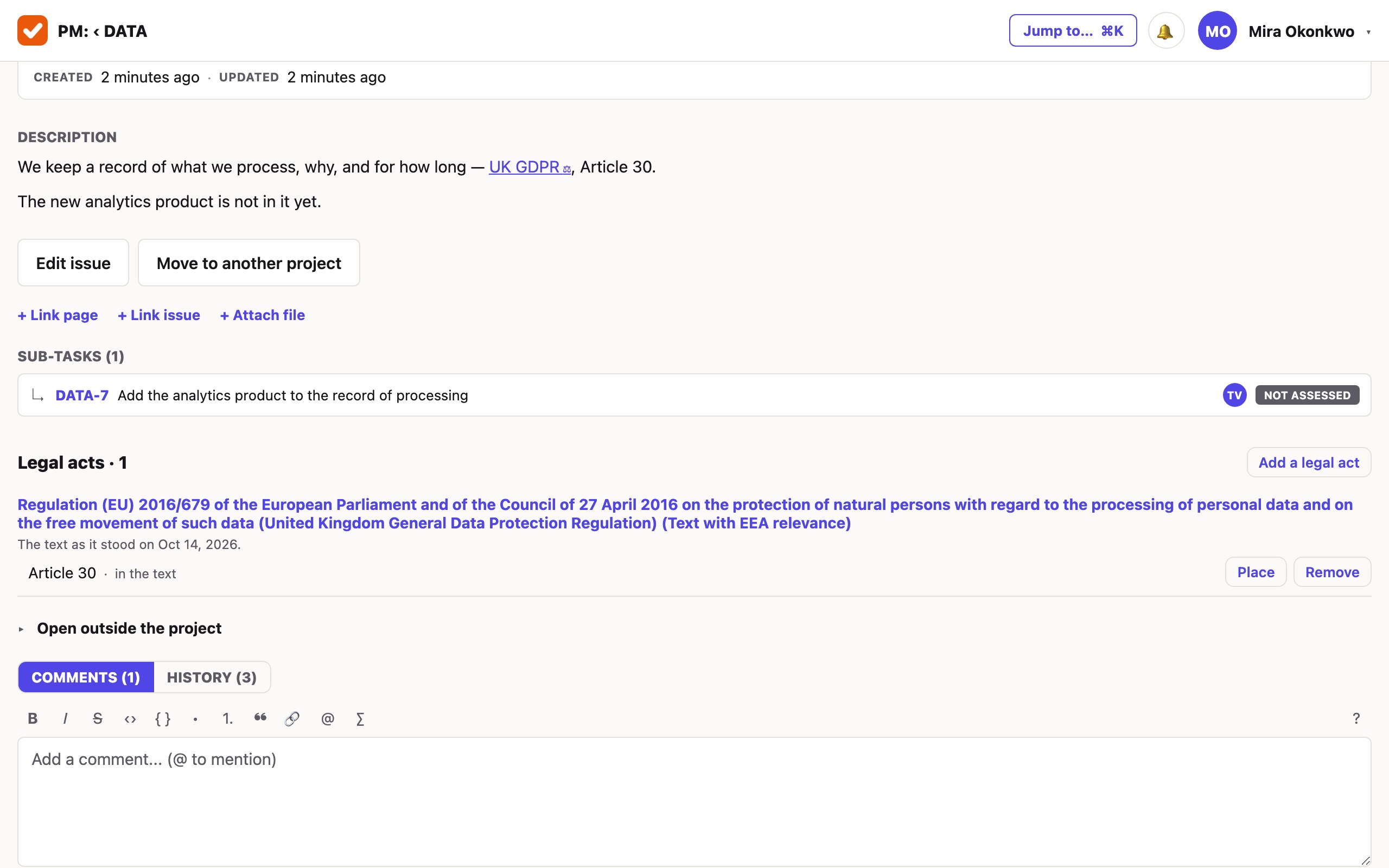
Two kinds of citation are read without anybody doing anything:
- An address on one of the listed official sites — EUR-Lex, legislation.gov.uk, Germany’s gesetze-im-internet.de, Switzerland’s fedlex.admin.ch and the others on the list.
- A citation with a key of its own, with the article beside it when there is one: «Article 18 of Directive (EU) 2015/849», a CELEX number, «SI 2017/692», «§ 10 GwG».
A citation in words only — «the fifth anti-money-laundering directive» — is not guessed at. Add it by hand under the issue or the page, with the place; or, in a project with the paid add-on, a model reads such citations and offers them for a person to accept or reject.
Nothing in your text is rewritten, and nothing inside code is marked. A reference you remove stays removed: the next save does not read it back.
2. Open the act, and read who refers to it
A reference opens the act’s card. At the top: its title and publisher, the day its text is as of, and the day the publisher’s site last confirmed it. The original is one press away.
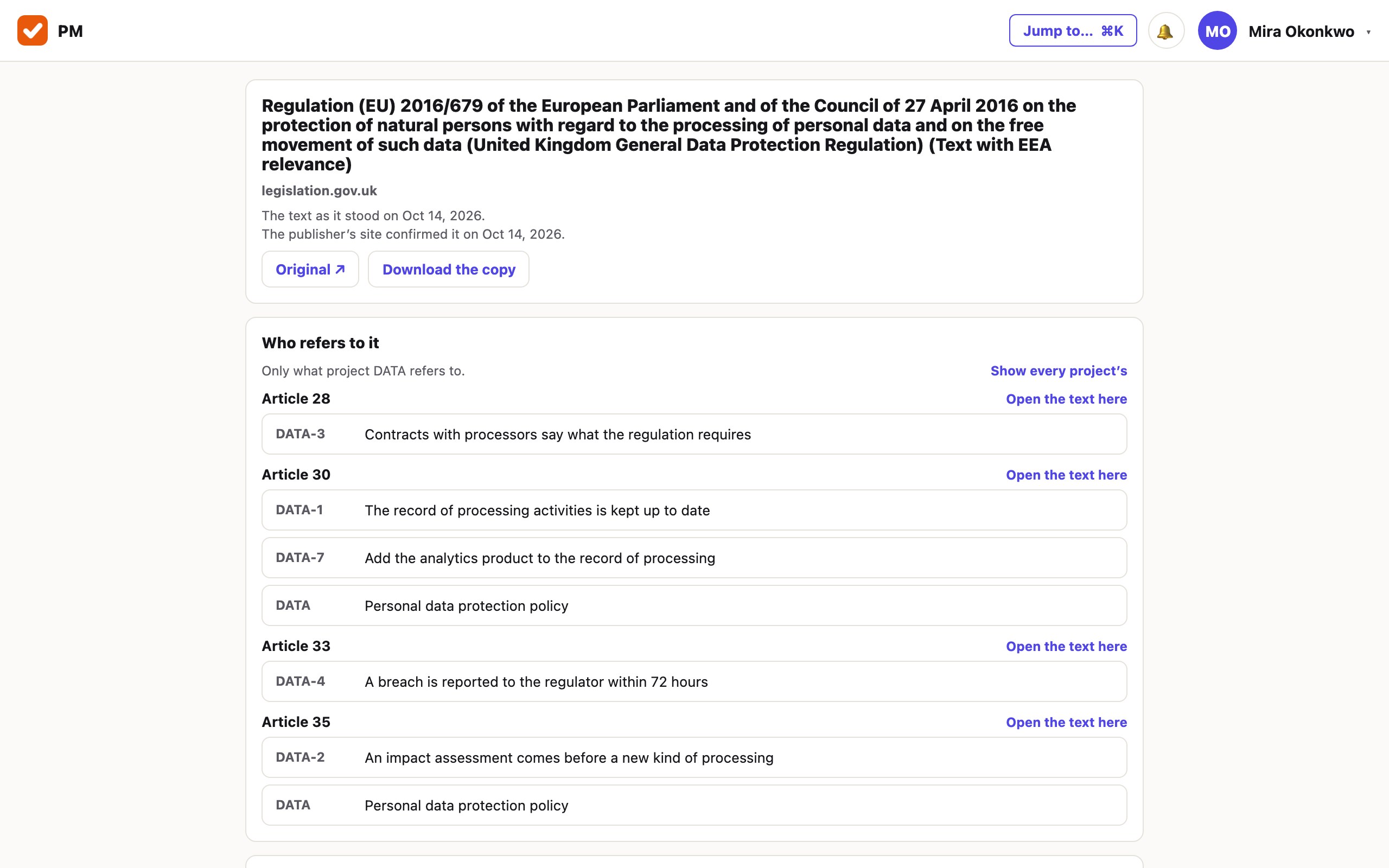
Who refers to it is every issue and page of yours that cites this act, grouped by article. That is the list somebody asked for — and it was never kept: it is the citations themselves, counted.
- Opened from a project, the card shows that project’s references; Show every project’s widens it to everything you may read.
- What you may not read is counted and never named: «2 more where you have no access».
- The act’s text below has its articles as a contents list and a search inside it.
3. The whole project, act by act
The same menu entry, Legal acts…, is the project’s list of every act it cites: the publisher, the day the text is as of, how many issues and how many pages rest on each, how many of those issues are still open, and when the last reference was made.
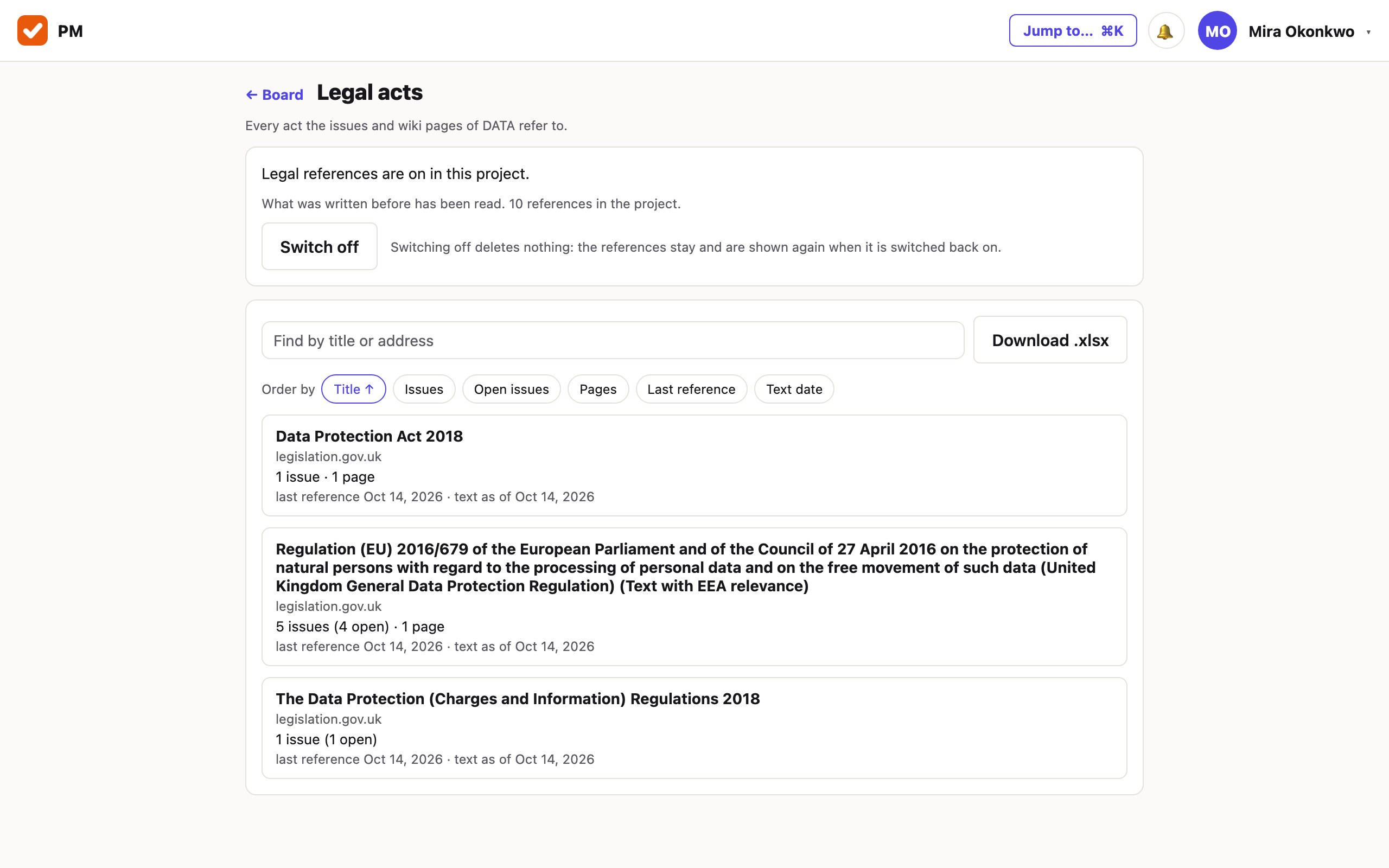
It can be searched by title or address and put in order — by how many issues, by open issues, by the last reference. A row opens the act’s card, showing only this project’s references.
4. The same question, asked as a search
Where you want the issues as a list to work through, rather than a screen to read, the act is a field in the issue search:
legalRef = "32015L0849"
legalRef ~ "2015/849"
legalRef IS NOT EMPTY AND status != Confirmed
The first finds issues by the act’s key, its address or its document number; the second by words in its address or title; the third is every issue that cites any act and is not finished. Wiki pages are found the same way in a wiki query. An agent or a tool connected over MCP reads the same lists.
What it does not do
- It does not tell you that an act has changed. The card says on which day the text was read and on which day the publisher’s site last confirmed it, and that is all it knows. This guide starts from «somebody asks»; learning of the change is still yours.
- It does not choose your law for you. It reads what your people cite. An act nobody has cited is not on the list, and nothing here says which acts apply to you.
- No site outside the list. An address anywhere else is an ordinary link.
- It gives no opinion. Neither the card nor the assistant says whether a rule is met; that is a person’s conclusion.
- Only official editions are read. A publisher’s consolidated or annotated text is not fetched, and the card holds no commentary.
Try it on one act.
One project, legal references on, and the texts you already have. The first month is free and needs no card.
Create a workspace